
WireGuard Admin — Free Web GUI for Managing Your VPN Server
Manage WireGuard with a Real Admin GUI
Setting up WireGuard on a VPS is easy — but managing users, keys, and firewall rules from the terminal gets tedious fast. Especially as the number of users grows.
That’s why we built WireGuard Admin — a complete web interface for administering WireGuard VPN directly from your browser.
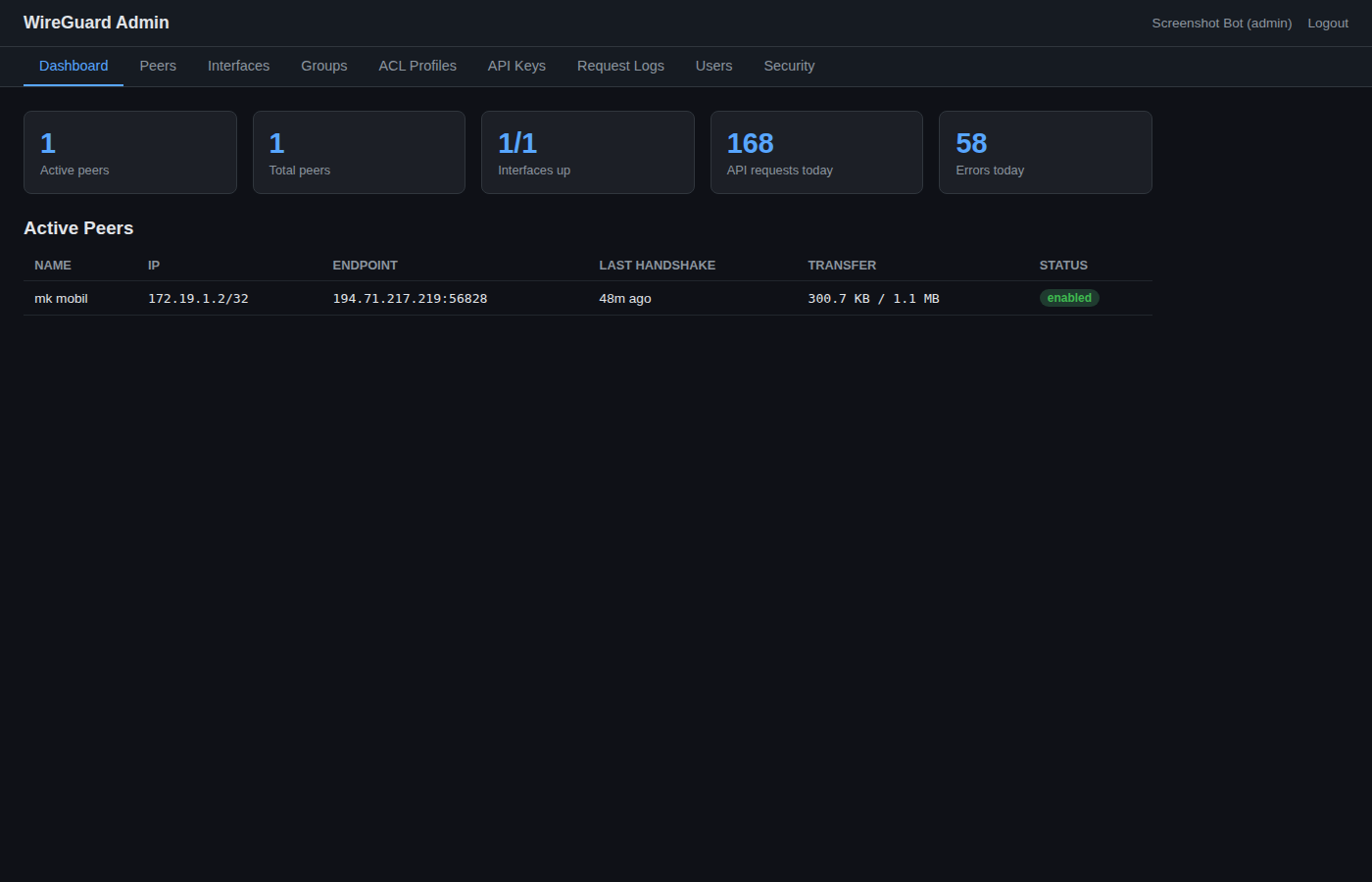
What Can You Do?
- Create VPN users with one click — keys and IP addresses are generated automatically
- Scan QR code directly in the WireGuard mobile app to connect
- Enable/disable peers without deleting them
- ACL profiles — control which networks and ports each user can reach
- Groups — organize users and assign shared firewall rules
- Live status — see who’s connected, latest handshake, and traffic stats
- API keys with scopes and IP whitelisting for automation
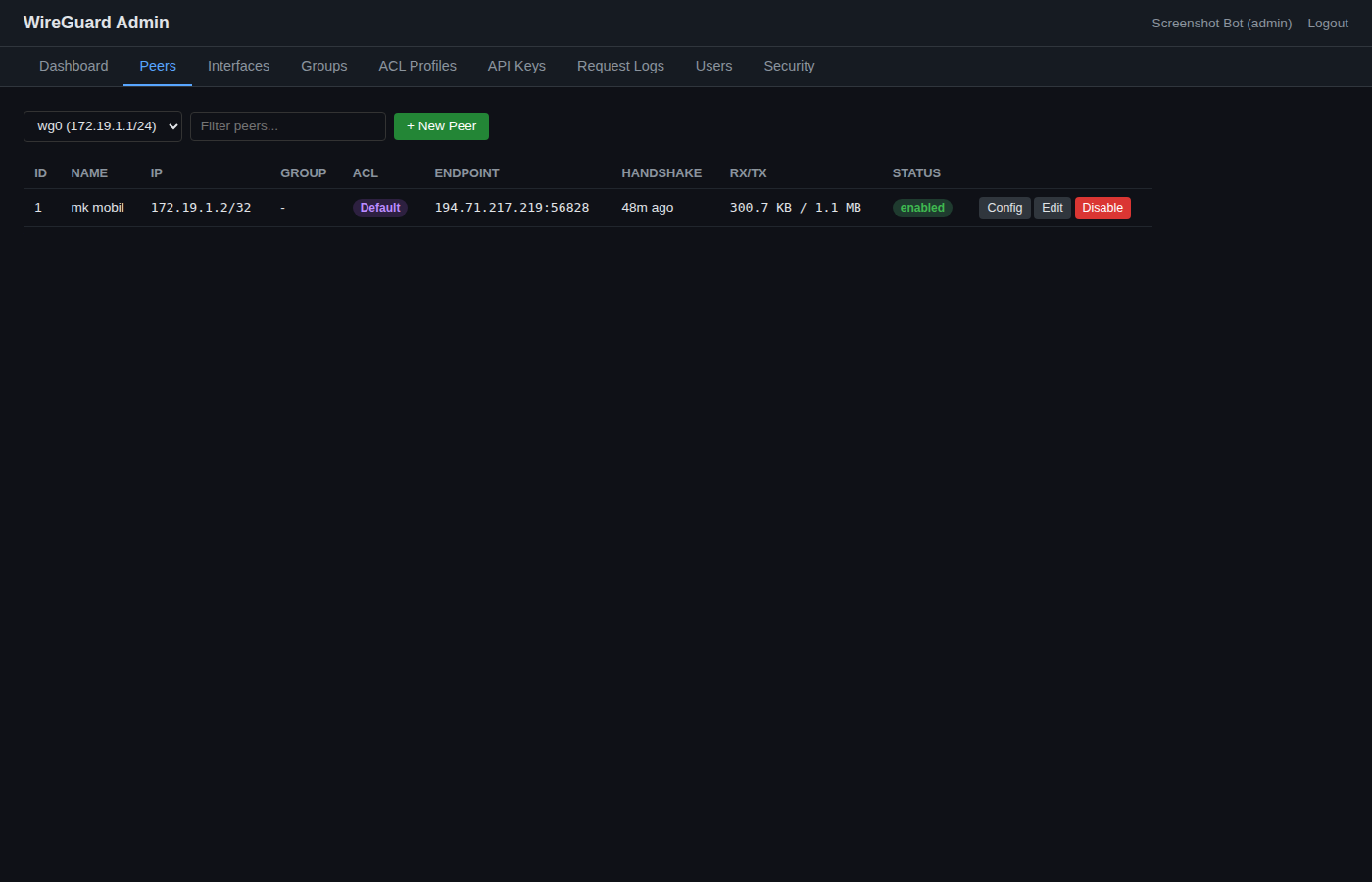
Firewall Rules Per User
With ACL profiles you can build firewall rules visually — select destination, protocol (TCP/UDP), and ports from dropdown menus. Rules are enforced server-side via iptables, regardless of what the client configures.
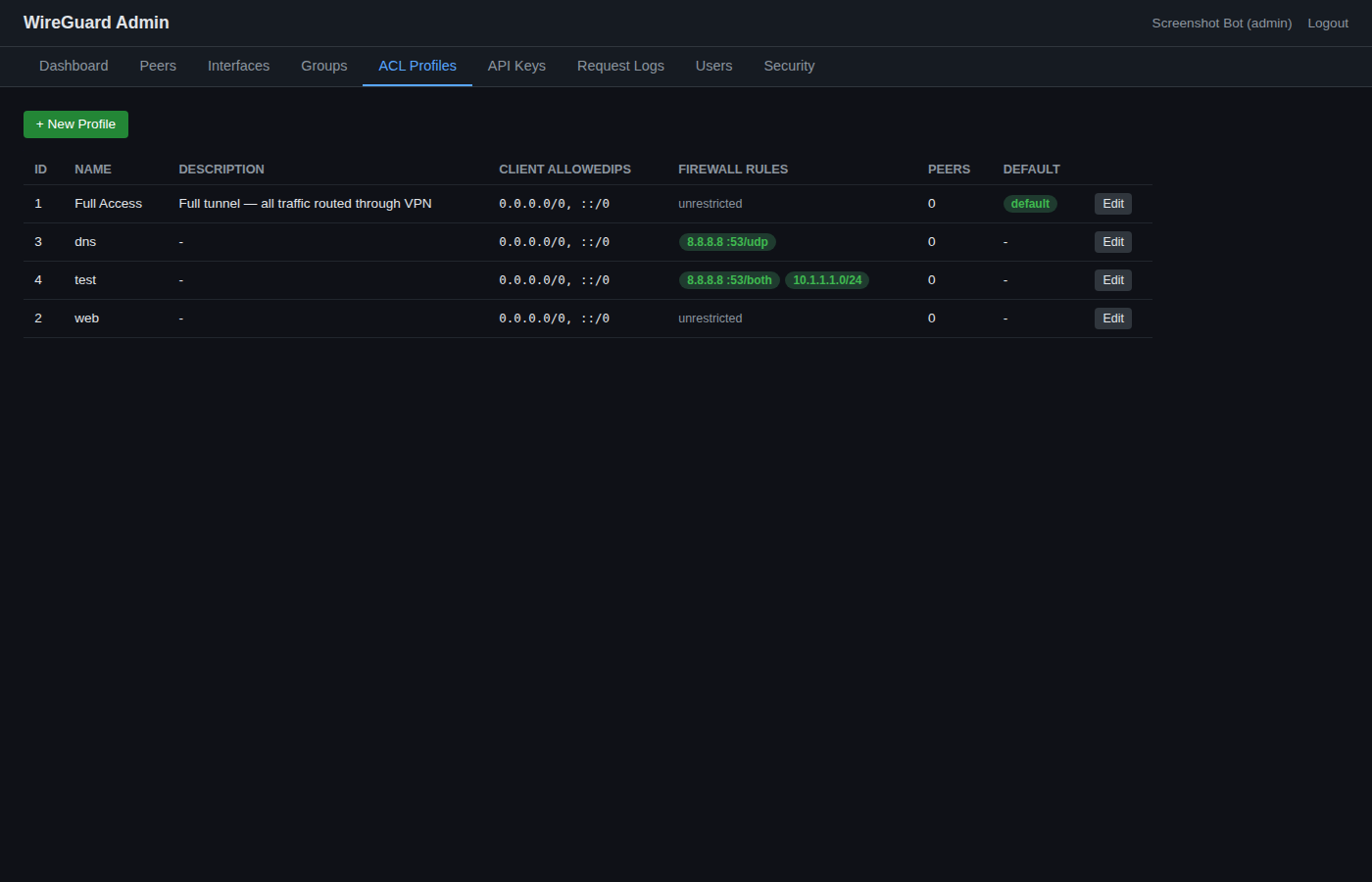
Example profiles:
- Full Access — all traffic through the tunnel, no restrictions
- Web Only — HTTP/HTTPS (port 80, 443) and DNS only
- Internal Only — access to internal networks only (10.0.0.0/8)
Get Started in 5 Minutes
All you need is a VPS running Ubuntu — our KVM VPS 1G (€6/month) is more than enough.
git clone https://github.com/mikaelkrantz945/wireguard-admin.git
cd wireguard-admin
cp .env.example .env
docker compose up -d --build
Open your browser, create your admin account, add a WireGuard interface, and start creating peers.
Open Source
WireGuard Admin is completely free and open source under the MIT license. The code is on GitHub:
https://github.com/mikaelkrantz945/wireguard-admin
Pull requests and feature requests are welcome!